
Blog
How Does IPTV Work? Complete Beginner’s Guide

How Does IPTV Work? A Complete Beginner’s Guide
IPTV has become a popular way to watch television and video content through an internet connection. Unlike traditional television systems that mainly depend on satellite signals, cable networks, or terrestrial broadcasts, IPTV uses Internet Protocol technology to deliver video content to compatible devices.
But how does IPTV actually work? The basic idea is simple: video content is stored or received by an IPTV provider, processed for internet delivery, and then transmitted through an internet connection to your compatible device. An IPTV application or player can then display the available content on your screen.
This guide explains how IPTV works, what you need to use it, which devices support IPTV, and what can affect your streaming experience.

What Does IPTV Mean?
IPTV stands for Internet Protocol Television. It describes a system where television or video content is delivered using internet protocol networks.
Instead of receiving television programming exclusively through a traditional cable connection or satellite dish, IPTV allows compatible video content to be transmitted over an internet connection.
The exact channels, movies, series, and other content available depend on the IPTV service and the provider’s rights and agreements.
How Does IPTV Work?
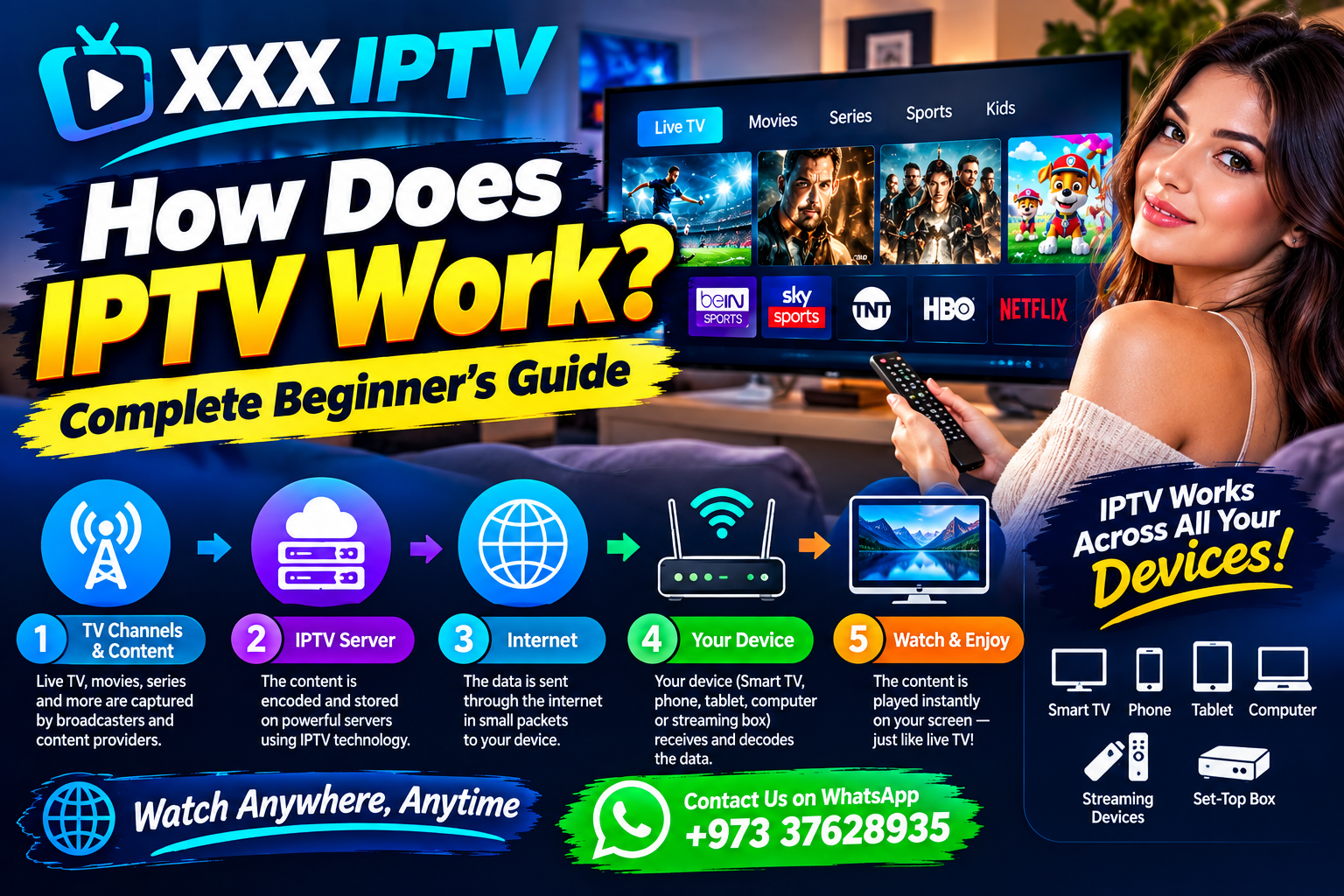
The IPTV process involves several important steps. First, video content is obtained and prepared for digital distribution. The content is then processed and made available through a network that can deliver it to users.
When you select a channel or video through an IPTV application, your device sends a request through the internet. The service then delivers the requested stream to your device.
Your IPTV application or compatible player receives the data and converts it into video that can be displayed on your television, phone, computer, or another supported device.
In simple terms, the process looks like this:
Content Source → IPTV Platform → Internet → IPTV App or Player → Your Screen
This is why a stable internet connection is an important part of the IPTV experience.
What Do You Need to Use IPTV?
Using IPTV generally requires a few basic things. You need a compatible device, an internet connection, an IPTV application or player when required, and access to an IPTV service that provides content you are authorized to watch.
The exact requirements can vary depending on the provider and device.
A Stable Internet Connection
Because IPTV content is delivered online, your internet connection plays an important role. A connection that is unstable, congested, or too slow for the selected video quality can cause buffering, interruptions, or reduced picture quality.
For the best experience, use a reliable connection and, when possible, connect your streaming device through Ethernet or a strong Wi-Fi network.
A Compatible Device
IPTV can work across many modern devices, depending on the application and service. Common examples include Smart TVs, Fire TV devices, Android TV devices, smartphones, tablets, and computers.
Always check whether the IPTV application and service are compatible with your particular device before subscribing.
An IPTV App or Player
Some IPTV services provide their own application, while others may provide login information that works with a compatible third-party IPTV player.
The setup method can therefore be different from one service to another. Follow the provider’s official instructions and only use applications that are appropriate for your device.
How Does IPTV Work on a Smart TV?
Many modern Smart TVs can access IPTV through compatible applications. Depending on the television brand and operating system, users may be able to install an IPTV application directly from the TV’s supported app store.
After installing a compatible application, users normally enter the information supplied by their IPTV provider and follow the application’s setup process.
The exact steps can differ between Samsung, LG, Android TV, Google TV, and other platforms.
How Does IPTV Work on Firestick?
Amazon Fire TV and Firestick devices can provide access to streaming applications through the internet. If an IPTV service supports your Fire TV device, you may be able to use a compatible IPTV application or player.
After installing the appropriate application, you typically follow the service’s setup instructions and enter the required account or playlist information.
Always download applications from legitimate sources and follow the provider’s official installation instructions.
How Does IPTV Work on a Smartphone?
IPTV can also be used on smartphones when a compatible application is available. Android and iPhone users may be able to access IPTV services through supported applications.
The viewing experience depends on the device, application, internet connection, screen size, and video quality.
A strong Wi-Fi or mobile-data connection can help provide a smoother experience, especially when streaming higher-quality video.
What Affects IPTV Streaming Quality?
Several factors can affect IPTV performance. Internet speed is important, but it is not the only factor.
Network congestion, Wi-Fi signal strength, router performance, device hardware, server availability, application performance, and video resolution can all influence streaming.
For example, a device connected to a weak Wi-Fi signal may experience interruptions even when the home’s internet package appears fast enough.
If buffering occurs, users can try moving closer to the router, restarting the router, using Ethernet where possible, closing unnecessary applications, or reducing video quality.
Is IPTV Different From Regular Streaming Services?
IPTV and other online streaming services both use the internet to deliver video, but they can operate in different ways.
Traditional IPTV services may organize television channels and video content through an IPTV platform, while many popular streaming platforms focus primarily on on-demand movies, series, or their own programming libraries.
The technology and delivery method can vary depending on the service.
Is IPTV Legal?
IPTV technology itself is not illegal. The important issue is whether a particular service has the necessary rights or authorization to distribute the content it offers.
Users should choose services that provide content legally and should review the applicable terms, licensing information, and local laws before subscribing.
The rules can differ between countries, including the UAE, Bahrain, Oman, Qatar, Saudi Arabia, Canada, Switzerland, and New Zealand.
How to Get Started With IPTV
Getting started is usually straightforward.
Step 1: Choose a Compatible Service
Research the IPTV service and check its supported devices, available features, terms, and content rights.
Step 2: Check Your Device
Make sure your Smart TV, Firestick, Android TV, smartphone, tablet, or computer supports the required application or player.
Step 3: Check Your Internet
Use a stable internet connection suitable for the video quality you want to watch.
Step 4: Install the Required Application
Follow the official setup instructions for your device and install the appropriate application or player.
Step 5: Enter Your Service Details
Use the account, playlist, or login information provided by your authorized IPTV provider.
Step 6: Start Streaming
Once setup is complete, select available content and begin watching.
Frequently Asked Questions About How IPTV Works
Does IPTV require internet?
Yes. IPTV generally uses an internet connection to deliver video content to your device.
Can IPTV work on Smart TV?
Yes, many Smart TVs support compatible IPTV applications, although availability depends on the TV platform and service.
Can IPTV work on Firestick?
Yes, compatible IPTV applications and players can be used on supported Fire TV devices.
Does IPTV use Wi-Fi?
IPTV can use Wi-Fi when your streaming device is connected wirelessly. Ethernet can also be used on compatible devices.
Why does IPTV buffer?
Buffering can be caused by network congestion, weak Wi-Fi, insufficient connection performance, device limitations, application problems, or issues affecting the streaming service.
Final Thoughts
So, how does IPTV work? In simple terms, IPTV delivers television and video content through internet-based networks. A compatible device connects to the service, requests the selected content, receives the video stream, and displays it through an IPTV application or player.
For a smooth experience, users should consider device compatibility, internet stability, application support, and the legal rights associated with the content.
If you want information about compatible devices, IPTV setup, or subscription options from XXXIPTV.shop, contact us through WhatsApp at +973 37628935. Please review the available service details and applicable terms before purchasing.
About XXX IPTV
XXXIPTV.shop provides information and options related to IPTV viewing across compatible devices. Before subscribing, customers should confirm device compatibility, service availability, applicable terms, and that the content offered is authorized for distribution in their location.